 MX Player Pro
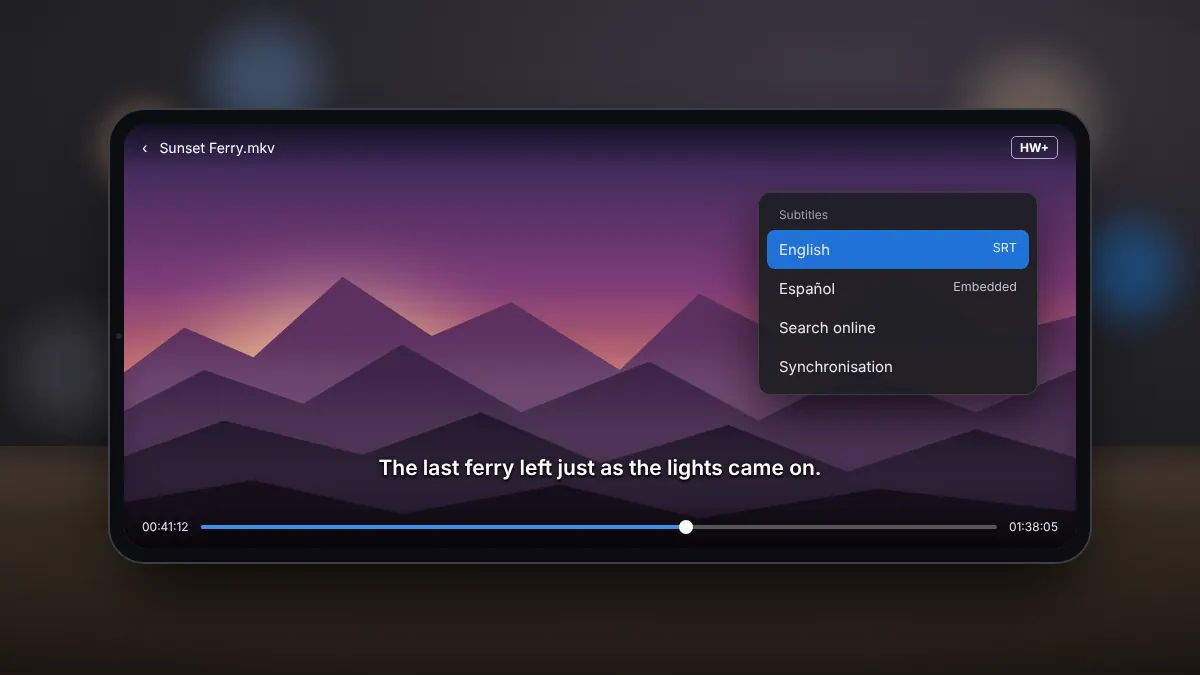
MX Player Pro supports a wide range of subtitle formats, including SRT, SSA/ASS, VobSub and WebVTT, as well as subtitles embedded inside MKV and MP4 files. It also offers subtitle gestures that make timing fixes quick.
Embedded subtitles
If a video file contains subtitle tracks, tap the subtitle icon while it plays and choose a track. You can switch between languages at any time.
Loading a subtitle file
- Copy the subtitle file to the same folder as the video.
- Give it the same name as the video, for example film.mp4 and film.srt. The app usually loads it automatically.
- If it does not, open the subtitle menu and choose the option to open a file, then select it.
Searching for subtitles online
The subtitle menu includes an online search. Choose the language, review the results and pick the one whose name matches your video's release. The file is saved next to your video for next time.
Fixing timing
When lines appear early or late, open the subtitle menu and adjust the synchronisation in small steps until speech and text line up. With subtitle gestures enabled, you can also scroll the subtitle text to move backwards and forwards between lines.
Making subtitles easier to read
- Increase the text size for viewing on a tablet held at arm's length.
- Add a border or background so text stays visible over bright scenes.
- Move subtitles up if they overlap with on-screen captions.
Summary
Embedded tracks are one tap away, matching file names handle external files, online search fills the gaps, and synchronisation settings fix timing in seconds.